My Wallet
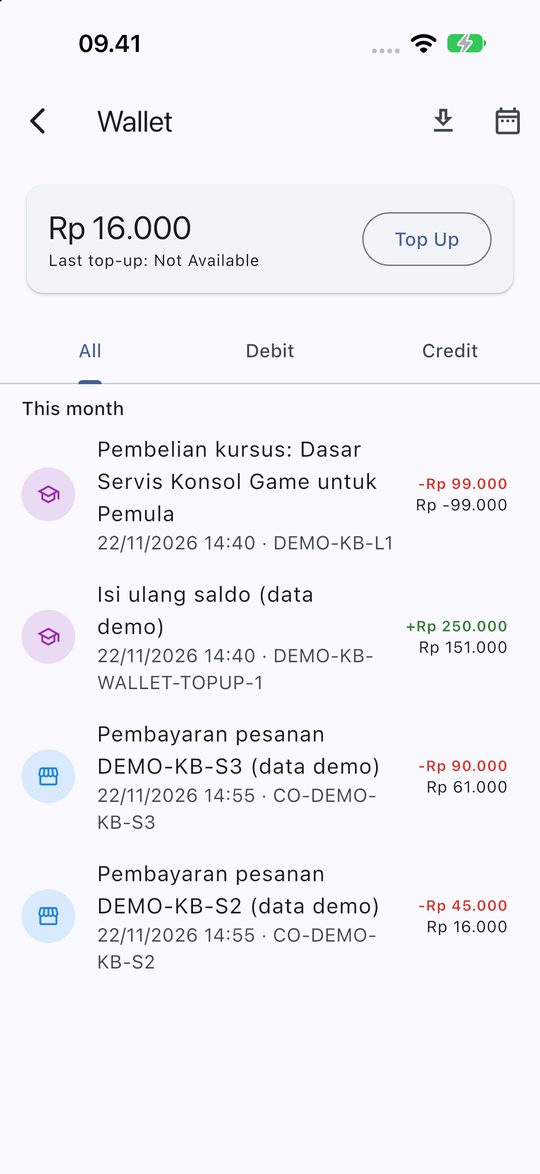
Your wallet balance pays for courses, ebooks, and bundles. It is the same balance you have in Tokoteknologi Shop and Repair.
1. Balance and history
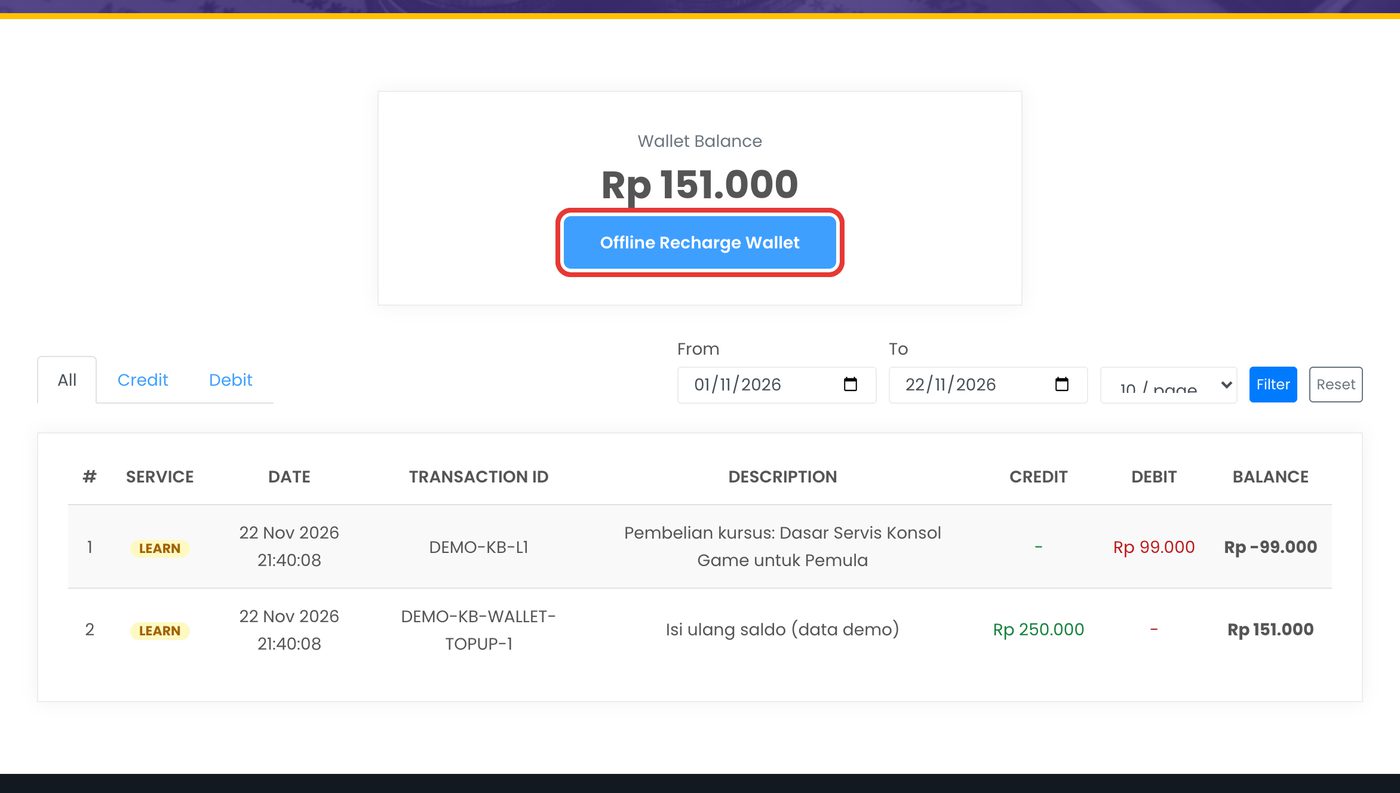
- The top of the page shows your Wallet Balance.
- The All, Credit, and Debit tabs filter transactions; set the date range with From and To (default: this month).
- Each row shows the service, date, transaction ID, description, amount, and balance.
2. Top up by bank transfer
- Click Offline Recharge Wallet, then choose Bank Transfer.
- Enter the Amount (minimum Rp 1,000) and copy the Transaction ID for the transfer note.
- Transfer as instructed, upload the Transfer Proof, and click Confirm.
- The balance increases after an admin approves it. The Approval column shows Pending, Approved, or Rejected.
Important: Wallet balances have a maximum set by Bank Indonesia rules; a top-up above it cannot be processed.
3. In the app
Your wallet balance and history are in the Account tab (the balance card or See all transactions). The history includes Learn, Shop, and Repair transactions because the balance is shared.