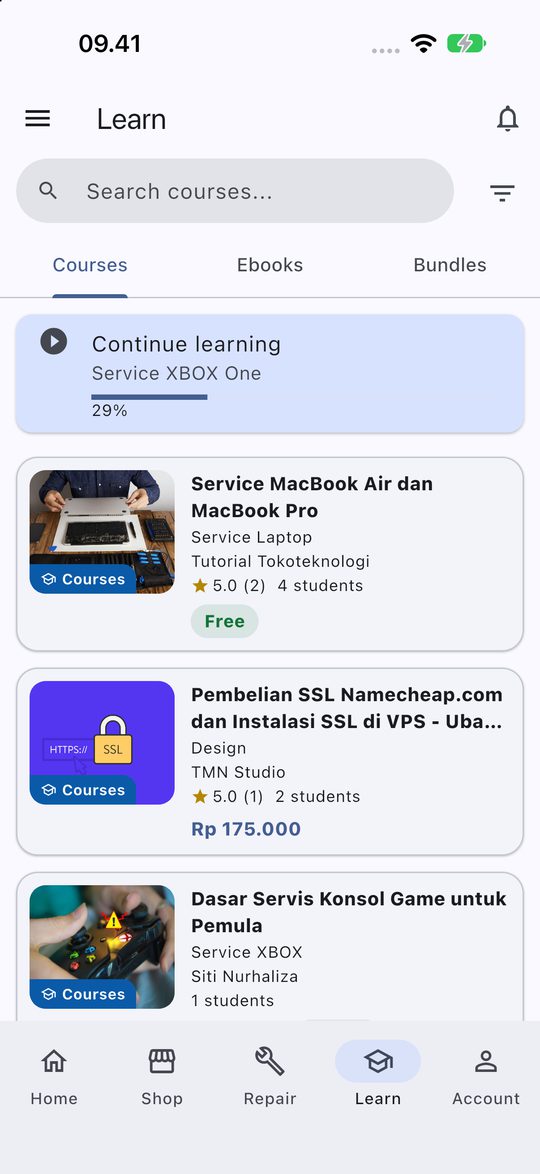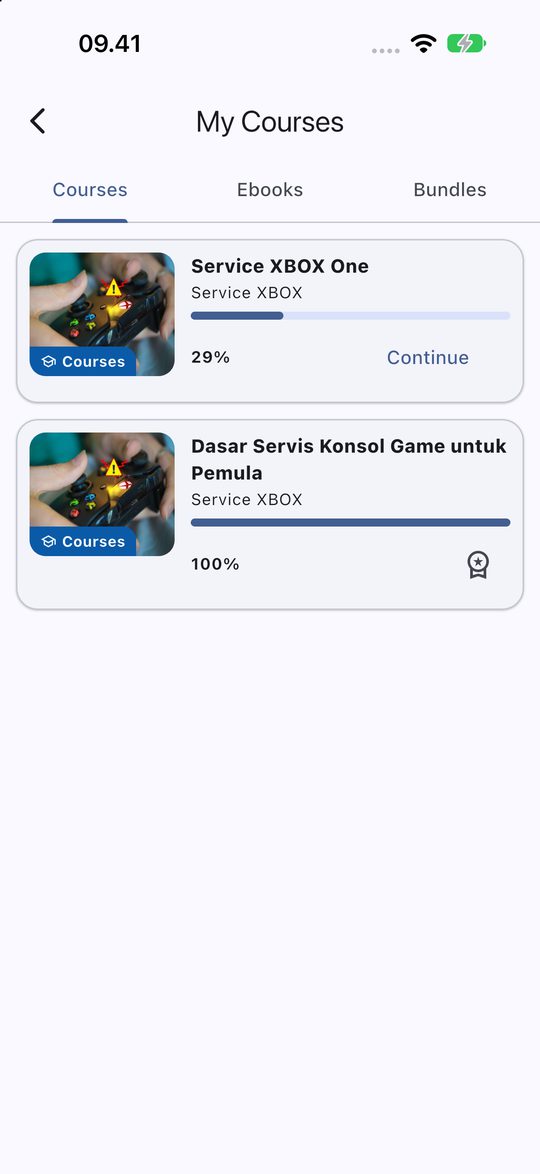
My Courses · Learning
In My Courses, click Start Learning or Continue Learning. The learning page lists the lessons on the side and shows your progress as a percentage.
1. My Courses
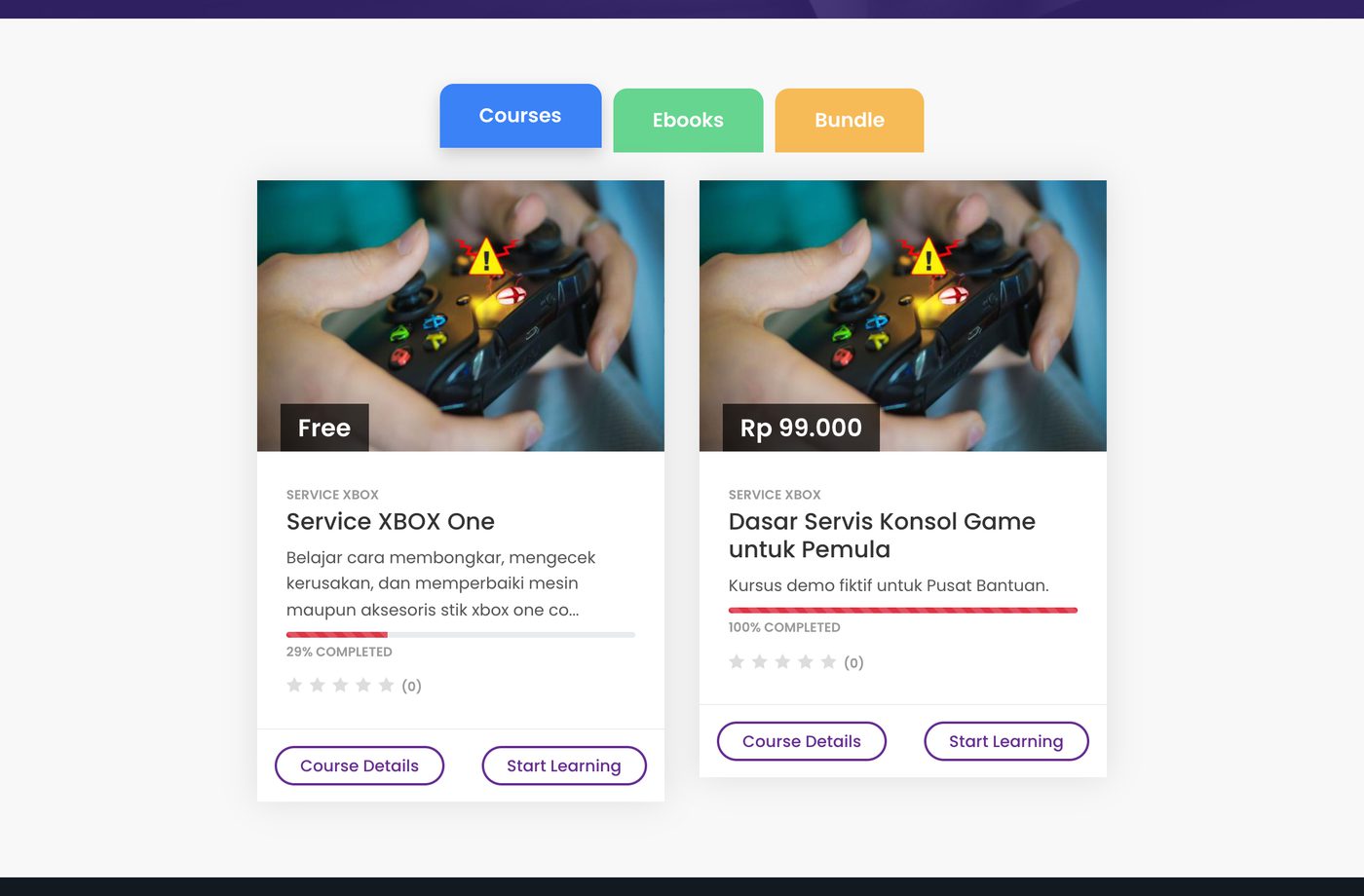
- The Courses, Ebooks, and Bundle tabs separate what you own. Courses from a bundle are under the Bundle tab.
- Each course card shows the percentage completed.
2. Marking lessons complete
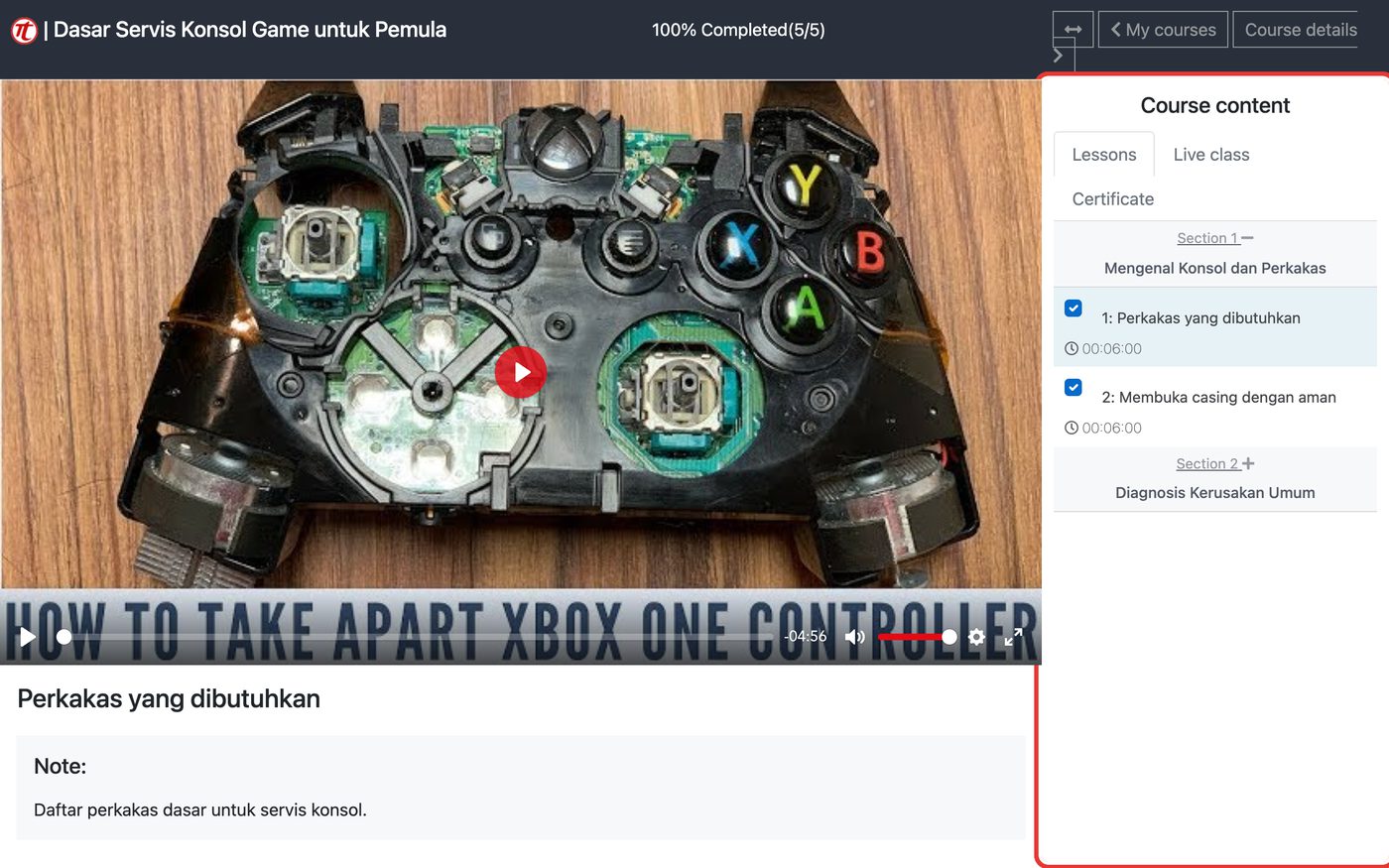
- Open a lesson from the Lessons tab.
- Tick the box next to the lesson when you have finished it. You can untick it at any time.
- Course progress increases each time a lesson is ticked.
Tip: If the course uses drip content, the next lesson is locked with Complete the previous lesson to unlock until the previous one is ticked. The first lesson is always open.
3. Quizzes
- Click Start Quiz; if there is a time limit the remaining time is shown, and answers are submitted automatically when time runs out.
- Click Submit Answers. You pass with a score of 60% or more.
- A quiz lesson can be ticked complete only after you pass. Retake Quiz is available within the retakes allowed by the instructor.
4. Forum and live classes
- The course forum is for participants and instructors: Ask a new question, reply, and upvote. You can delete your own questions.
- If the instructor schedules a Zoom class, the Live class tab shows the schedule and a button to join.
5. In the app
- Open the Learn tab; Continue learning at the top opens your last course.
- Or tap ☰ › My Courses: Courses, Ebooks, and Bundles tabs with the percentage completed.