Sales report
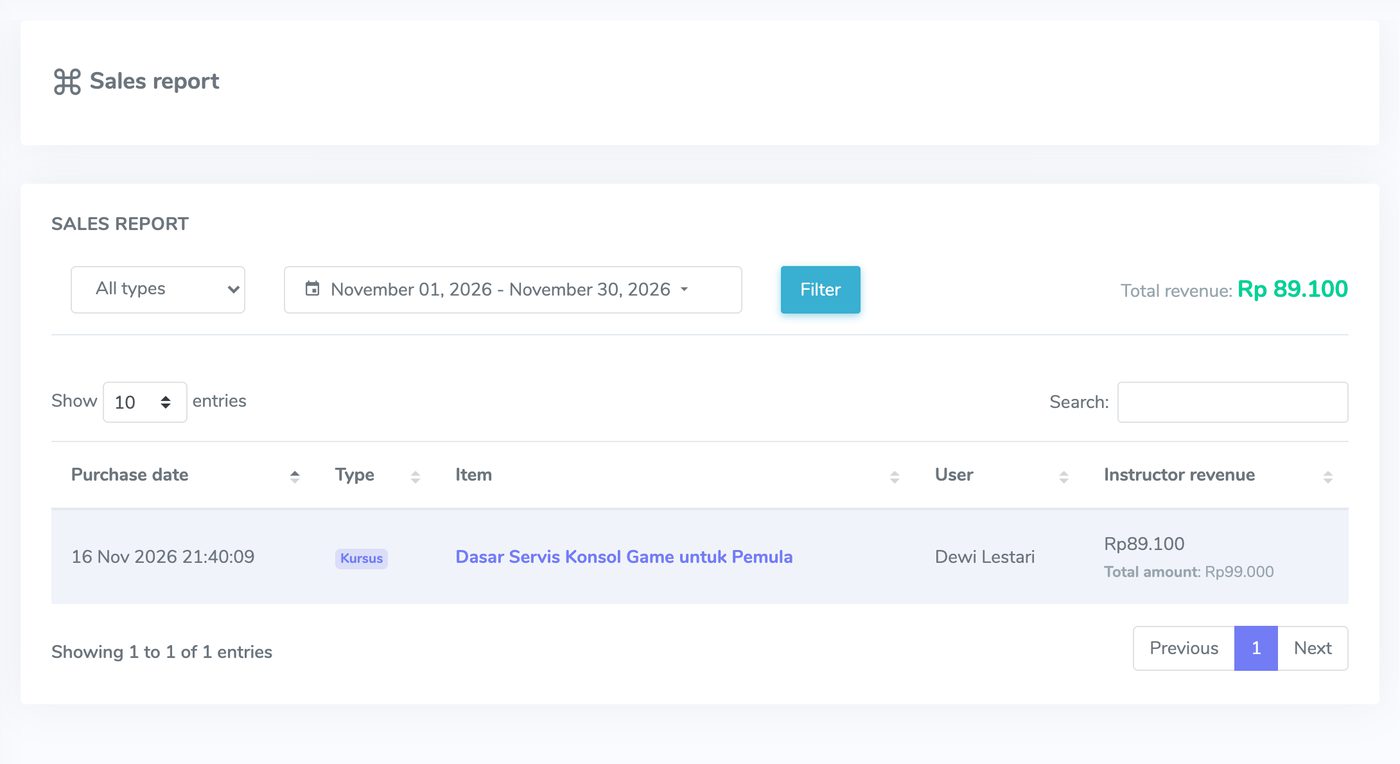
The sales report lists every purchase that earned you revenue.
1. Filtering
Choose the Course, Bundle, or Ebook type (or all types). Total revenue is shown above the table.
2. Report columns
| Column | Meaning |
|---|---|
| Purchase date | When the item was bought |
| Type and Item | The course, bundle, or ebook bought |
| User | The buyer |
| Instructor revenue | Your share of that transaction |
| Coupon applied | The coupon the buyer used, if any |